Features
Everything Lexova does
Filling the IRCC portals, cross-checking every document, sorting a client's files into one exhibit PDF, capturing the application for the client — then everything around them. Lexova collapses the slow parts of a Canadian immigration practice into a few clicks.
Fill IRCC portals
Your clients' answers, in the IRCC portal, in one click
The Lexova for IRCC browser extension fills the Express Entry application (eAPR) and the PR portal for representatives from the case — every form of every family member, in your own signed-in session. Each replaced answer is listed with an Undo, and it never presses Submit, Sign or Pay on its own.
Learn more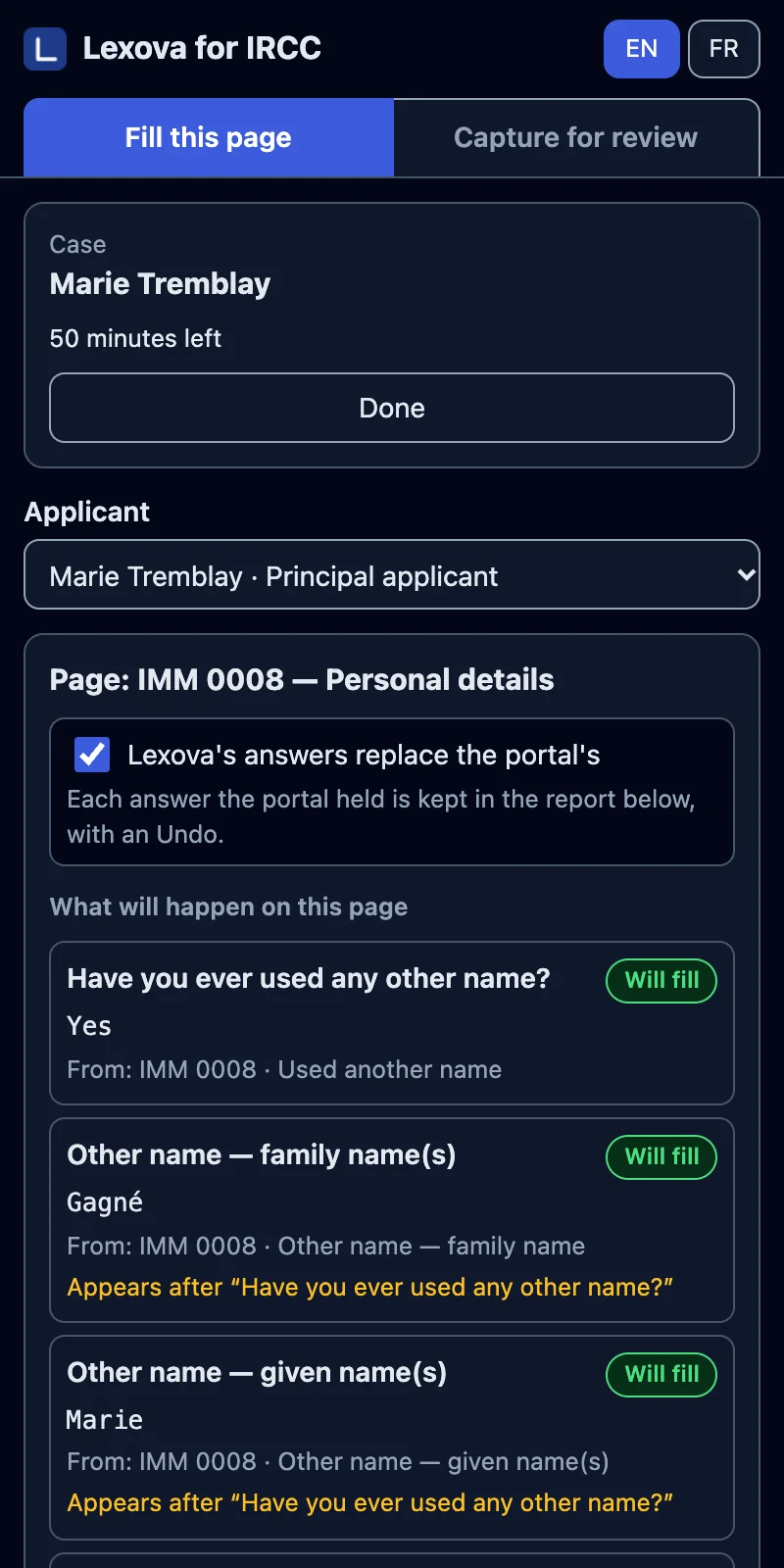
Coherence check
Find the mismatch before it becomes a fairness letter
Run on demand by your team, the coherence check reads every document filed on the case — passports, employer letters, bank statements, diplomas — against the answers on every form, and lists each fact that disagrees: what the document says beside what the form says, with the source named. Your team verifies each finding before anything is filed; the check never decides for you.
Learn moreAI document sorting
Drop the files. Get one exhibit PDF, in your firm's order.
Scans, photos and Word files land in the workspace in no order. One click on “Process with Lexova AI” reads each one — not just its name — files it under the right checklist row, and builds one exhibit PDF the way your firm files it: bank statements per account and newest first, pay stubs newest first, proof of work experience per job, each part behind a divider an officer can read.
Learn moreCapture the application
The whole application, captured for your client in one click
Before you submit, your client should see exactly what IRCC will receive. One click in the Lexova for IRCC extension opens every form of every family member in the portal and captures every page into one review PDF — sent to the client from Lexova, with their answer coming back to the case.
Learn more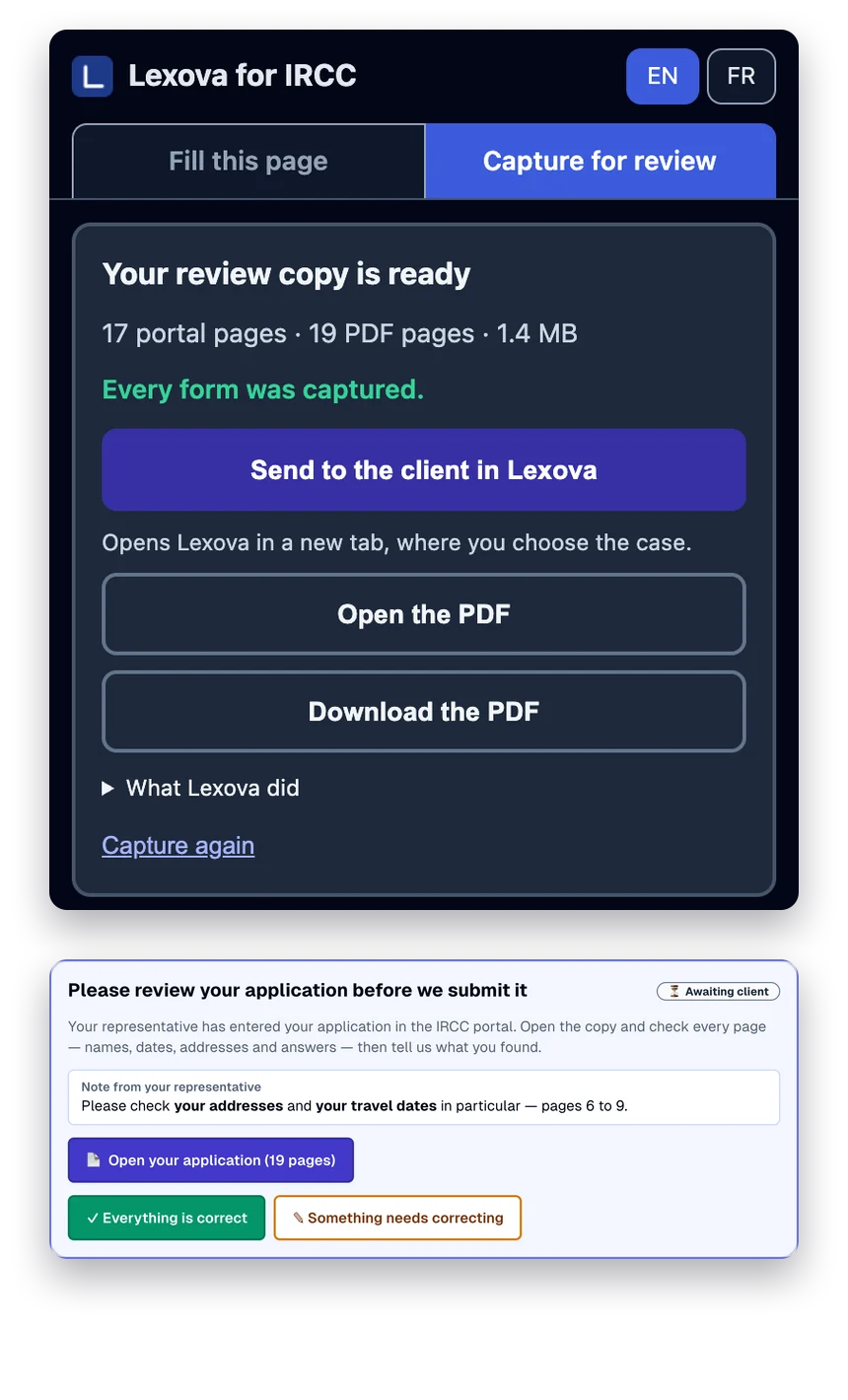
Read from documents
The details are in the documents. Lexova reads them.
Language-test results, educational credential assessments, the Express Entry profile number, the job seeker validation code and the date of the invitation — read straight from the client's uploads, filed under the right person, each value with its source. You confirm; nobody retypes.
Learn more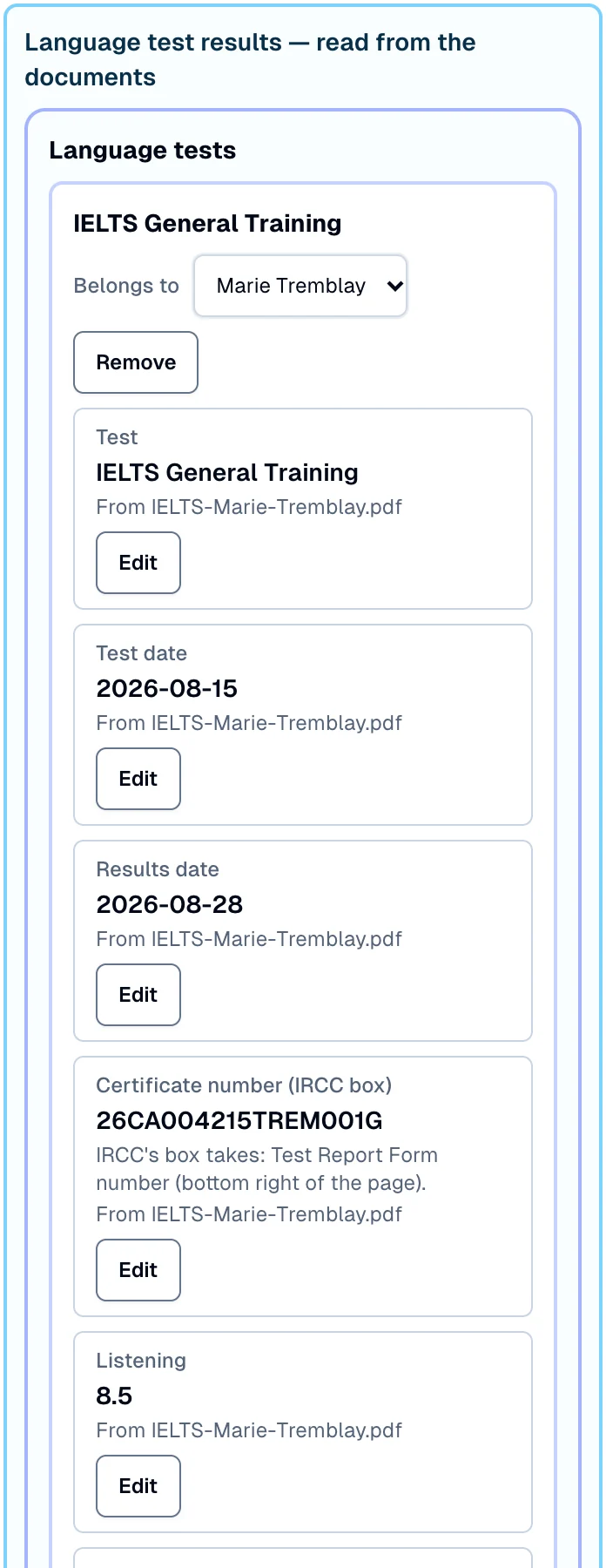
Express Entry intake
The Express Entry application, as IRCC asks it
A dedicated intake for permanent residence through Express Entry: the questions of IRCC's electronic application, in its order and wording, one family member at a time — with IRCC's lists, the required questions required, ten-year histories checked for gaps, and the exact missing items named before anyone can submit.
Learn more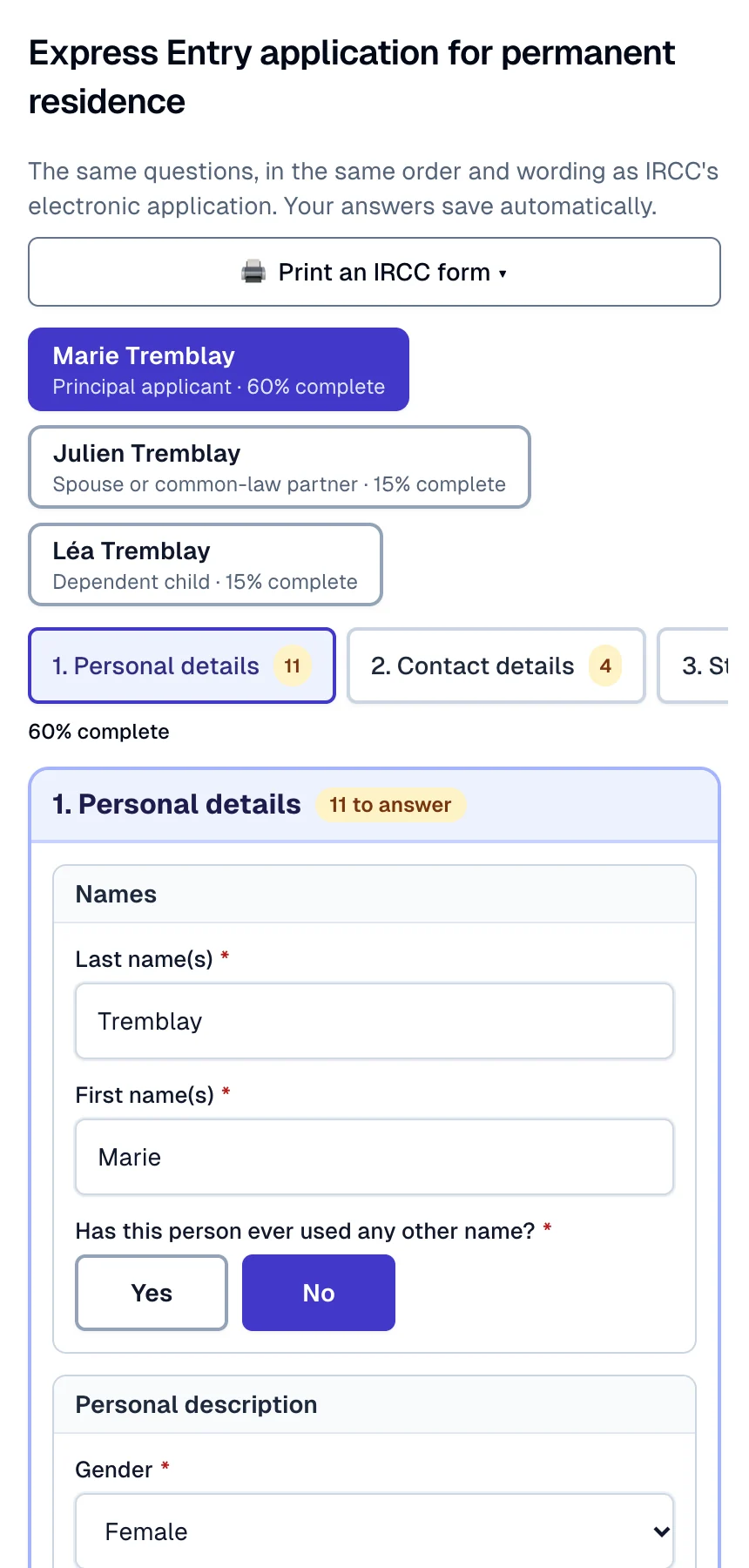
Fill from a document
The letter says it. Don't retype it.
A job from an employment letter, a study from a diploma, a passport from a photo: Lexova AI reads the case's own documents into the entry being filled, and you check every value before it goes in.
Learn more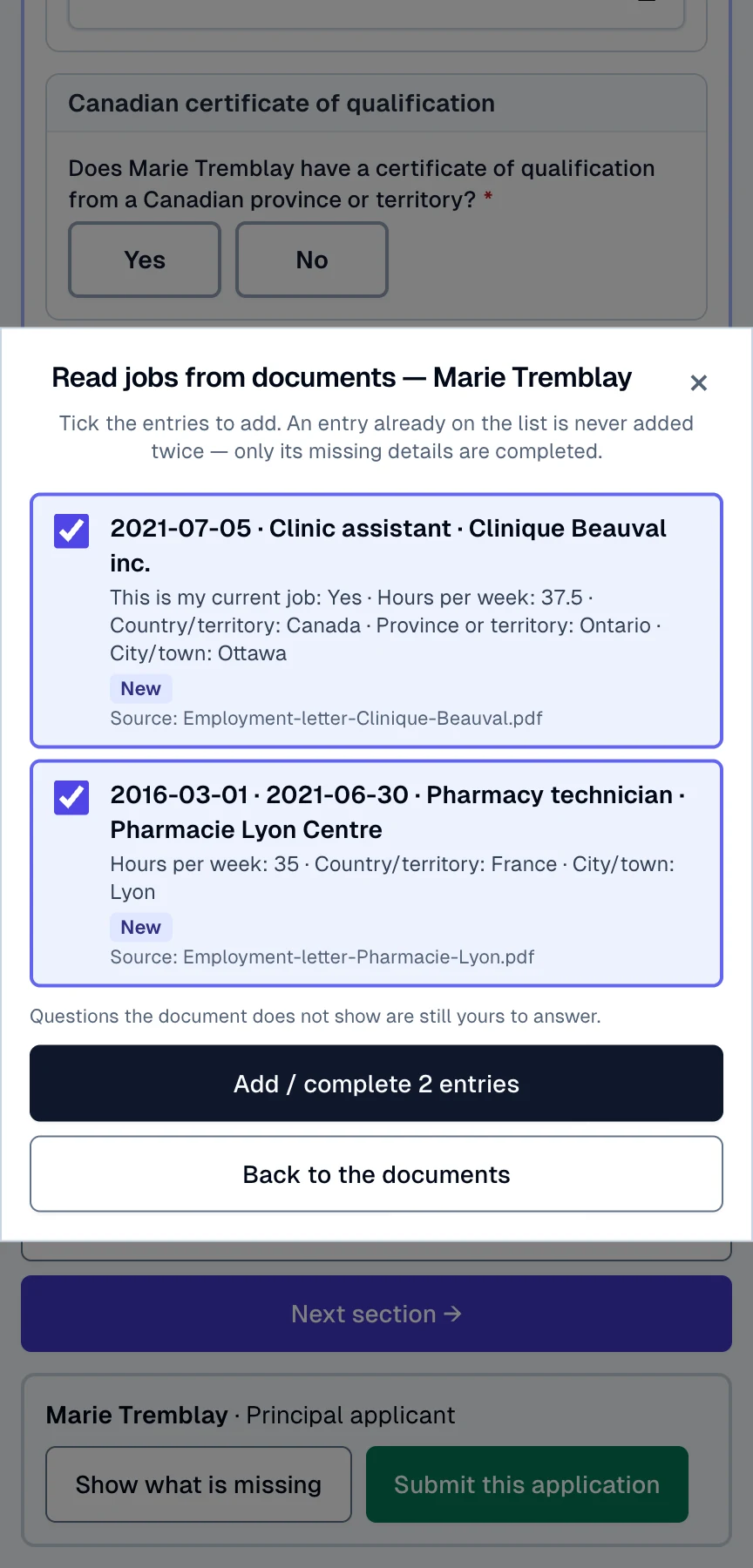
Gap & consistency checks
Catch the gaps before an officer does
Lexova checks every personal history and address history for uncovered months, overlapping periods and locations that contradict each other — and refuses to let a form be submitted until every uncovered month is filled in and every overlap or conflict is fixed or explained.
Learn moreWhat to do: Add an entry covering this period — employment, studies, unemployment, or an address — so that no month is missing.
This form has 1 flagged warning. Fix the entries, or add the required explanation in the warnings panel at the top of the page, then submit.
Practice migration
Bring your practice with you — past files become cases, forms already filled
Drop a folder of past client files. Lexova reads each one: the filled IRCC forms it knows become forms with their answers, everything else stays a document. A review board groups the files into future cases, every name and case type editable — and nothing is created until you confirm.
Learn moreAdded to the case unsorted, ready for Lexova AI sorting.
Import filled forms
Start from the form that is already filled
Choose a previously filled IRCC form — a fillable PDF, a flattened copy, a scan or a photo — and Lexova places its answers into the form you have open, matched by meaning and held to the form's own rules. Only empty questions are filled, the file is read, not stored, and your team reviews every answer before anything is submitted.
Learn more80 answers imported into this form. Review each one before submitting — the old form may be out of date.
14 empty questions will be filled. 11 answers already in this form differ from the old PDF. Keep what is in the form, or replace it with the PDF's answers?
IRCC form autofill
Autofill every IRCC form from one intake
Your client answers a short bilingual intake once. Lexova maps it into all 19 IRCC forms — XFA-aware, audit-clean, in English or French — and keeps them in sync.
Learn moreExactly as it appears on your passport.
24 fields across 3 forms were pre-filled from your intake. You can edit any field directly in the form below — your edit will override the About You value for that form only.
LMIA applications
LMIA applications, end to end
A complete, bilingual LMIA portal — all five streams, employer document checklists grounded in Service Canada guidance, and a guided application with help on every question.
Learn more- 1Employer contact
- 2Work location
- 3Hours & pay
- 4Job offer
- 5Employment benefits
- 6Transition plan
- …
- Proof of business legitimacyRequired
- Signed ESDC EMP5575 — Appointment of a Third-Party RepresentativeRequired
AI cover letters
Cover letters, written for the case
Lexova AI first reads the file and writes a case brief — scope, legal test, ranked strengths, weaknesses to address or leave silent — then drafts the letter from that brief in a practitioner's voice. You refine it in a dialogue and sign it.
Learn moreAugust 22, 2026
Immigration, Refugees and Citizenship Canada
RE: Study permit application — Marie Tremblay
Dear Visa Officer,
We represent Ms. Marie Tremblay in her application for a study permit for the Certificate in Geriatric Care at Institut Beauval, an eight-month program beginning September 8, 2026.
Collaboration
Everyone in one place — and you always know whose turn it is
Clients, agents, employers and the firm share one case. A live progress bar and the “ball in court” badge show exactly who owes the next action — no more chasing.
Learn moreStay ahead
Never miss a deadline or a document expiry
Set reminders on any case, with optional emails to the agent and the client. Get notified the moment a client or employer finishes their part — so nothing slips.
Learn moreBiometrics booked for October 16 — the pay stubs for June and July are still missing from the checklist.
Built in Canada
Bilingual, and built for Canadian compliance
Every screen, form and email in English and French — with your files stored in Canada, Law 25 / PIPEDA consent tracking, and a role-based access firewall on every case.
Learn moreLexova handles sensitive immigration and corporate data. Canadian privacy law (PIPEDA, Alberta PIPA, and Quebec's Law 25) requires your explicit, unbundled consent before you use the platform.
Version 2.4.0 · Effective 2026-10-06
Lexova AI assistant
An assistant that answers your clients' form questions
Clients ask what a question means, what is still missing, or why a warning appeared — and get an answer in their own language, grounded in their own file. Anything that calls for professional judgement is sent straight to you.
Learn moreIs my file strong enough to get the permit?
Lexova AI gives general information about the forms — not legal advice. Your immigration representative remains responsible for your file.
Guided client workflow
Your client always knows what to do next
Each applicant gets their own three-step path — fill the forms, upload the documents, then advisor review — with live progress, submitted checkmarks and a lock that protects finished work.
Learn moreQuestions for the client
Ask one precise question. Get the answer — and the document — in the file.
Type a specific question on the case; the client answers in writing and attaches the supporting document right there. The exchange stays with the file, not in an inbox — and on a locked case, only that question opens.
Learn moreAsk the client a specific question. They can answer in writing and attach a document to their answer. On a locked case, the question opens itself — the rest stays locked.
Your employment letter says the job ended on August 31, 2024, but the form says it is ongoing. Which is correct? If you left, please attach your record of employment.
AnsweredRemoveCan you explain the $14,250 balance on July 31 when the form declares $22,000? Another account, or a recent transfer?
Awaiting answerRemoveNo answer yet.
Advisor review tools
The advisor's control room
Separate progress bars for the client, the employer and your own review. One-click Mark complete and Mark as submitted. A case lock that opens only the item you just requested. A pipeline you can filter by who holds the ball — and a whole-case ZIP when it's time to file.
Learn moreCanadian address lookup
Type a few characters. Get a complete, correctly split Canadian address.
Canada Post AddressComplete sits on every Canadian address block of every IRCC form, on the address-history tables and on the About You intake. One pick fills unit, number, street, city, province and postal code — each in the box IRCC expects.
Learn morePick a suggestion to fill every box below. Can't find it? Enter the address manually in the boxes below.
PDF Studio
Every PDF tool your practice needs — and your PDFs never leave your browser
Combine, reorder, compress, redact, sign and protect PDFs and images in a full-screen workbench inside Lexova, and convert Word, Excel and PowerPoint files to PDF. PDFs and images are opened and exported in your browser: they are never uploaded or stored, and nothing touches a case.
Learn moreThe export is prepared on this device. Nothing is uploaded.
Client announcements
Write to every client at once — in their language, from your firm
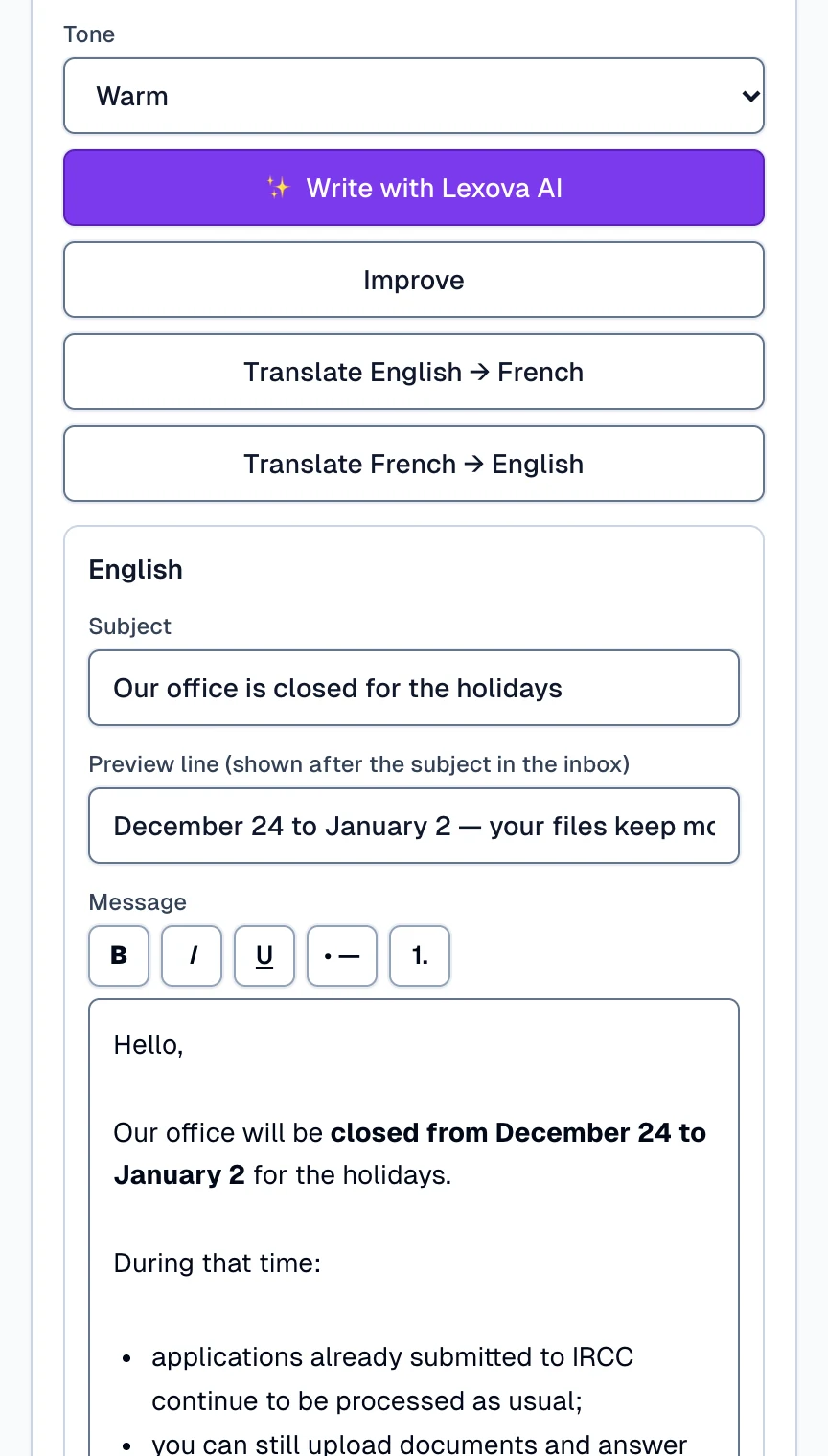
New office hours, a fee change, a fraud warning, immigration news: one announcement to your clients and employers, written by Lexova AI in English and French from your notes, sent with your firm as the sender, and followed person by person.
Learn more