
Collaboration
Everyone in one place — and you always know whose turn it is
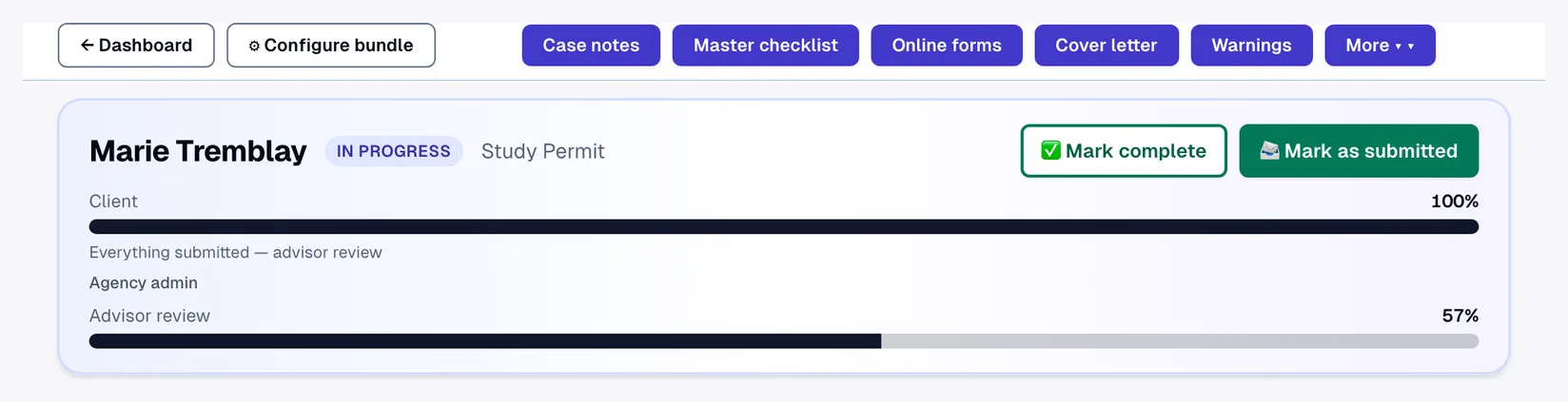
Clients, agents, employers and the firm share one case. A live progress bar and the “ball in court” badge show exactly who owes the next action — no more chasing.
See it in action
Your client always knows what's next.
Transcript
Every applicant gets a clear path: forms, documents, then your review. Julien, Marie's spouse, has his own path and his own progress. Marie submits IMM 5669, and it locks right away, protected from accidental typing. When you ask her about a date that doesn't match, she answers in writing, right in Lexova, and attaches her record of employment. The ball in court updates itself as she answers, and now it's back with you. And that means fewer 'what's next?' e-mails, for you and for every client on the file.
The video starts only when you press play; nothing is downloaded before that.
Email threads scatter a file across inboxes, and nobody can say who's holding things up. Lexova puts every stakeholder on one live case. The progress bar and ball-in-court badge make responsibility obvious, and each party sees only their own to-do list.
How it works
Invite each party
Client, employer and agents each get a role-appropriate portal on the same case.
Ball-in-court is clear
A badge shows who owes the next action — the client, employer, agent or firm.
Per-party to-dos
Each person sees exactly what's needed from them, with deep links to upload or fill.
Why it matters
Four roles, one case
Client, agent, employer and agency collaborate without forwarding a single email.
Live progress
A real-time bar shows how far the file has come and what remains.
No more chasing
Ball-in-court tracking ends the “who has it?” back-and-forth.
Isolated by design
External portals are walled off with defense-in-depth tenant isolation.
The firm pipeline
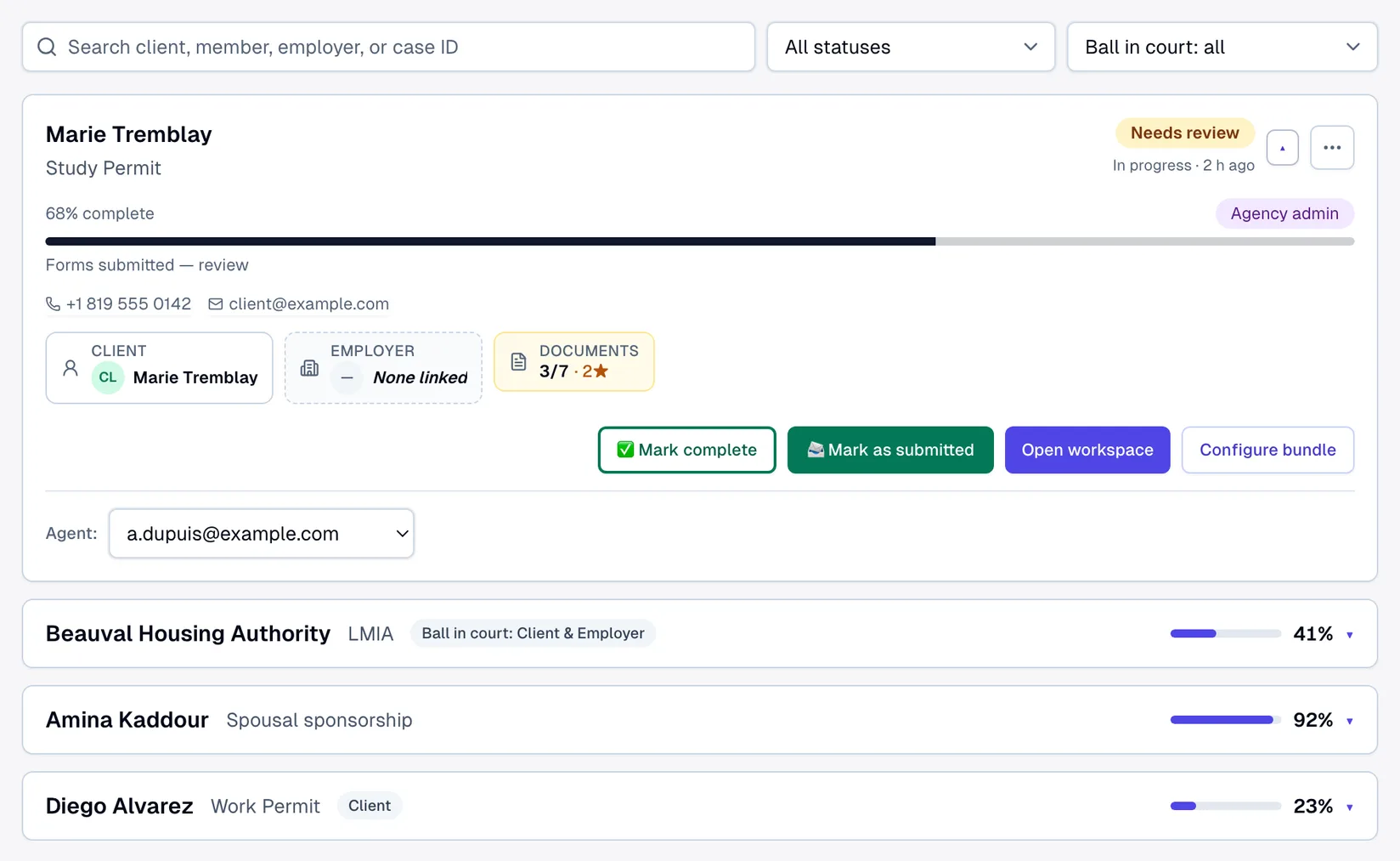
On the firm side, every case is one line: name, program, progress and a Needs-review badge when something awaits you. Filter by status or by who holds the ball — client, employer or your team — and expand a tile for the applicant's phone and email, the client / employer / documents strip, and the Open workspace and Configure bundle actions.
Frequently asked questions
Can the employer see the client's personal information?+
No. The employer portal is scoped to employer tasks and documents only — it never exposes the applicant's personal information.
Do clients need to install anything?+
No — every portal runs in the browser, in English or French.
Does the client have to use the portal?+
No. When you create a case you choose who fills it in: the client — who receives an e-mail invitation to their own portal — or your firm, which then fills in everything itself: no e-mail, no invitation, and the client never signs in. A case filled in by the firm can still invite the client later.
Explore more
Run your firm on Lexova
Start today, or talk to us about Enterprise.