
Questions for the client
Ask one precise question. Get the answer — and the document — in the file.
Type a specific question on the case; the client answers in writing and attaches the supporting document right there. The exchange stays with the file, not in an inbox — and on a locked case, only that question opens.
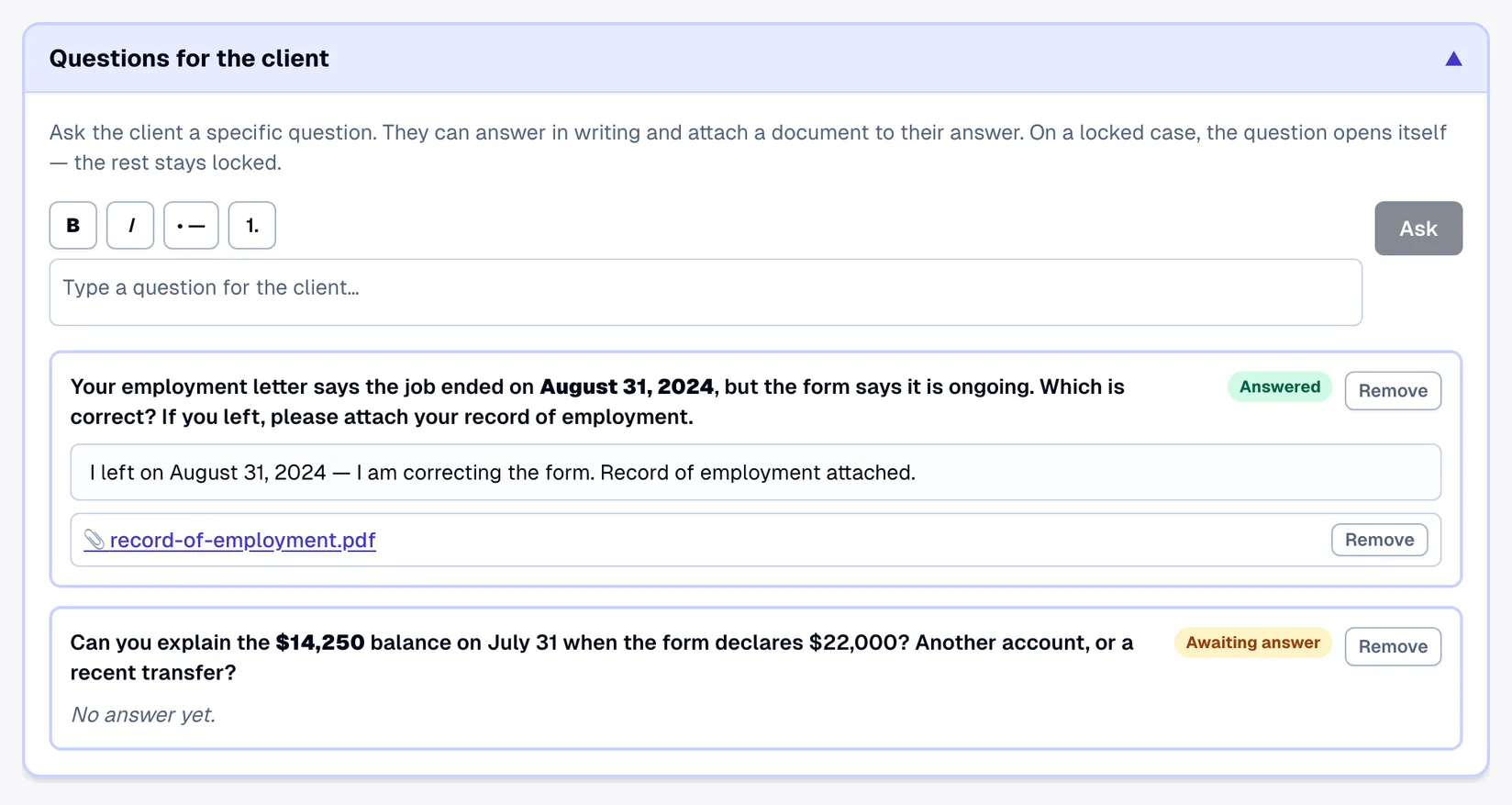
Ask the client a specific question. They can answer in writing and attach a document to their answer. On a locked case, the question opens itself — the rest stays locked.
Your employment letter says the job ended on August 31, 2024, but the form says it is ongoing. Which is correct? If you left, please attach your record of employment.
AnsweredRemoveCan you explain the $14,250 balance on July 31 when the form declares $22,000? Another account, or a recent transfer?
Awaiting answerRemoveNo answer yet.
Most requests for information are small and specific: why does the bank balance on the statement differ from the amount on the form; when exactly did the last contract end; can you send the record of employment that letter refers to. Those questions used to live in email threads, and the answers had to be copied back into the file by hand. Lexova puts the question on the case itself, lets the client answer in words and with a document, and keeps both where the next person to open the file will see them.
How it works
Type the question
Write it as you would in an email — bold, italics and lists show as you type. Lexova translates it into the client's other language automatically, and emails the client that a question is waiting.
The client answers, in writing and with a file
Under the question, the client types their answer and uploads the supporting document — a statement, a contract, a letter — from the same panel. Attachments become ordinary case documents.
You're notified; the answer stays on file
Your team gets an email when the client answers. Each question shows an Answered or Awaiting answer chip, and the whole exchange remains on the case for whoever reviews it next.
Why it matters
Opens itself on a locked case
Once a client has submitted everything, their workspace locks. A new question opens only itself — the client can answer and attach without anything else being editable.
Attachments are real case documents
A file attached to a question is downloadable from the case, included in the whole-case export and read by the coherence check like any other document.
Bilingual without effort
Write in English or French; the client sees the question in their own language. Their answer is stored exactly as written.
Formatting that reads well
Bold lead-ins, bullet lists and numbered steps render on screen for both sides — the same simple formatting used for document instructions.
Frequently asked questions
Does the client receive an email for every question?+
The client is emailed when a question is added, with a link to the case. Client emails are grouped so that several changes in a short period produce one message, not a flood.
What happens to the attachment if I remove a question?+
Removing a question never deletes the client's file. It is moved to the case's unassigned uploads, where your team can still open, file or delete it.
Can the employer answer questions?+
No. Questions are addressed to the client and never appear in the employer portal, which stays scoped to employer documents and tasks.
Explore more
Run your firm on Lexova
Start today, or talk to us about Enterprise.