
Client announcements
Write to every client at once — in their language, from your firm
New office hours, a fee change, a fraud warning, immigration news: one announcement to your clients and employers, written by Lexova AI in English and French from your notes, sent with your firm as the sender, and followed person by person.
See it in action
Write to every client. Once.
Transcript
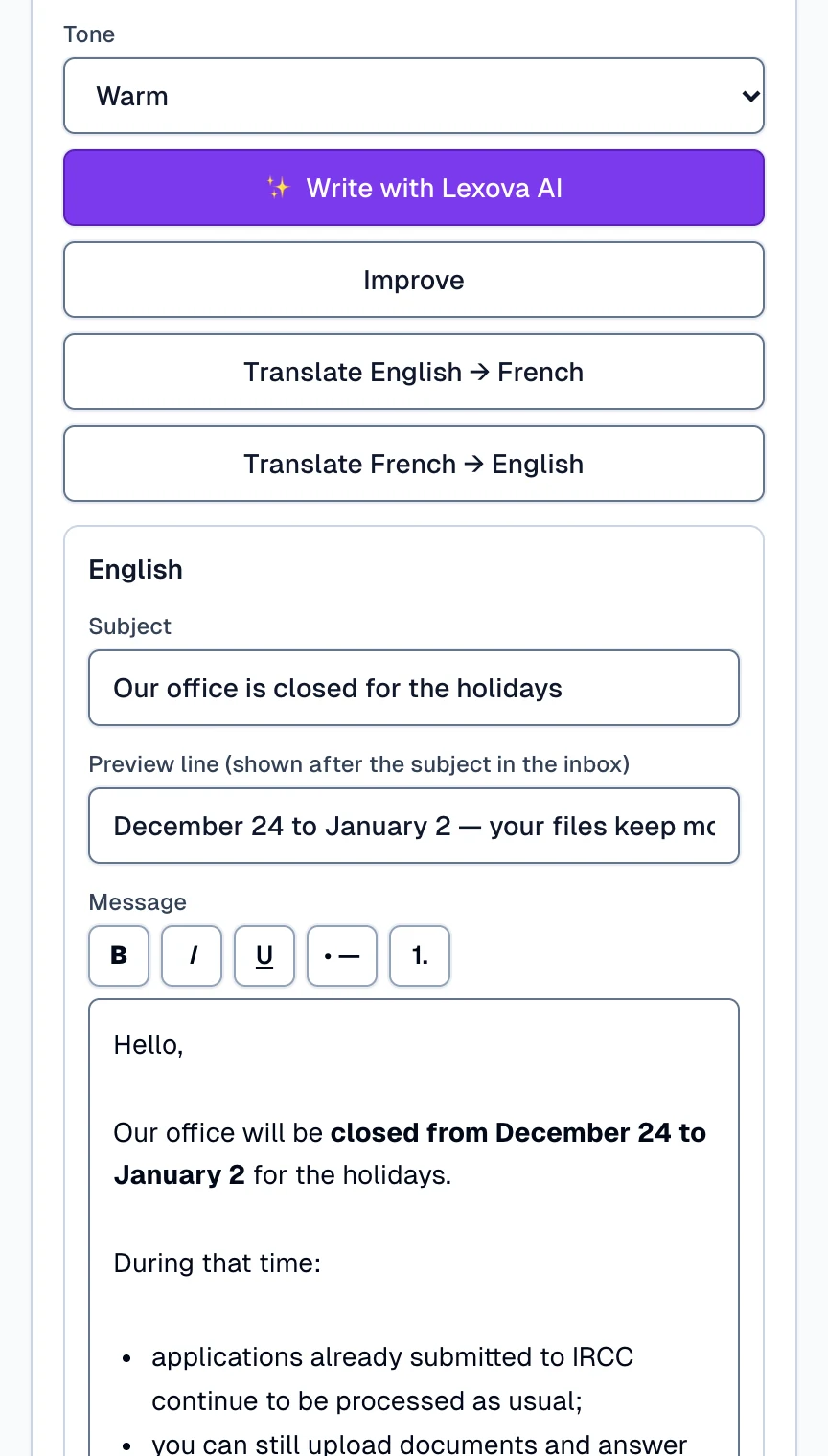
When every client needs the same news, write it once, from your firm's Announcements page. Choose who receives it, everyone or only the people whose case matches a program, a status or an agent, and the count updates as you choose. Jot down a few notes, and Lexova AI writes the message in English and in French, ready for you to read and adjust. The preview shows exactly what they will receive, in your firm's name and in each person's own language. Press Send, confirm the count, and add a banner in their portal too. Marie receives it from your firm, by e-mail and in her portal, and her replies come straight back to you. Then you see, person by person, who received it and who opened it.
The video starts only when you press play; nothing is downloaded before that.
When the office closes for the holidays, when your fees change, when clients are being called by people pretending to be IRCC, every client should hear it — and in practice it becomes a mass e-mail from someone's inbox, written twice for two languages, with everyone in blind copy and no way to know who read it. Announcements lets the firm's administrator write one message, choose its audience from the firm's own cases, and send it the right way: in each person's language, in the firm's name, with the results kept.
How it works
Choose the kind and the audience
A notice from your representative, a policy or fee change, a security notice, immigration news or an offer. Then your clients, your employers or both — everyone, a filter on your cases, or people picked by name — with the count shown live.
Let Lexova AI write it, then read it
Jot down what to say; Lexova AI writes the message in English and French on behalf of your firm — or improves your own draft, or translates it. You read every word, preview it exactly as it will be sent, and can send a test to your own address.
Send now or later — and follow it
Send it now or schedule it, optionally as a banner in your clients' portal until a date. Then see each person's result: delivered, opened, bounced, unsubscribed.
Why it matters
Both languages, one effort
Lexova AI writes the English and the French from the same notes, and each client receives their own language — no second e-mail to write.
Your firm is the sender
The e-mail carries your firm's name and mailing address, and replies come straight to your own address — clients write back to you, not to a platform.
Anti-spam rules built in
News and offers carry an unsubscribe link and your mailing address, and people who unsubscribed are left out automatically. Notices about their file always reach your clients.
Your clients stay yours
A firm only ever reaches its own clients and employers. Firms never see one another's people, and Lexova's own console does not list your firm's messages.
Exactly the people you mean
Tick your clients, your employers or both, then choose who among them: everyone, only the people linked to a case that matches a program, a case status or an assigned agent, or people you pick by name from your firm's list. The count is shown live — so many clients, so many employers — and anyone who cannot receive the message is named as a number, never silently dropped. Only your own clients and employers can ever receive your announcements.

What your clients receive
An e-mail from your firm — your name, the kind of message, your mailing address and your reply address — in each person's own language; someone who never chose a language receives one bilingual message. Their replies come to your own inbox. If you wish, the same message also appears as a banner at the top of their Lexova pages until the date you choose; they can close it.

Then, person by person
Once the message has left, the announcement shows its counts — sent, delivered, opened, bounced, unsubscribed — for your clients and your employers, then every person by name with their own result. While it is still sending, you can stop it; any announcement can be duplicated as a new draft.

Frequently asked questions
Who can send announcements, and on which plan?+
The firm's administrator, from the Announcements page. Announcements are included from the Premium plan and up.
Who exactly receives them?+
Your firm's clients and employers who have a Lexova account — the people already using their portal. Someone whose invitation is still pending has no account yet and is not reached. Within that list, you choose: everyone, a filter on your cases, or people picked by name.
Can a client unsubscribe?+
From your news and offers, yes: those messages carry an unsubscribe link and your firm's mailing address, as Canada's anti-spam law requires, so the mailing address must be filled in on your account before you send one. Notices from your representative, policy or fee changes and security notices concern the client's file and still reach everyone.
Where do replies go?+
To the administrator's own e-mail address. The message is sent in your firm's name, and a reply goes straight back to you.
Can the message contain links?+
To keep your clients safe from look-alike links, the button and the links in an announcement can only lead to lexova.ca — for example to their client portal.
Does Lexova AI send anything on its own?+
No. It writes, improves or translates the text from your notes, and only knows what your notes say. Nothing leaves until you press Send and confirm how many people will receive it.
Explore more
Run your firm on Lexova
Start today, or talk to us about Enterprise.