
IRCC form autofill
Autofill every IRCC form from one intake
Your client answers a short bilingual intake once. Lexova maps it into all 19 IRCC forms — XFA-aware, audit-clean, in English or French — and keeps them in sync.
Exactly as it appears on your passport.
24 fields across 3 forms were pre-filled from your intake. You can edit any field directly in the form below — your edit will override the About You value for that form only.
Show full screenShow less
See it in action
One intake. All 19 IRCC forms.
Transcript
Marie answers one short intake: her name, then when and where she was born. As soon as she's done, those answers show up in IMM 5710 and every other form her case needs. Country boxes carry IRCC's own list values, so the portal accepts the file the first time, in English or in French. When everything looks right, you give it a final review, then download the filled form as a PDF. It's IRCC's own form, filled in, and it's ready in French too. And nobody ever types anything twice.
The video starts only when you press play; nothing is downloaded before that.
Re-typing the same name, date of birth and passport number across a dozen PDFs is where hours disappear — and where errors creep in. Lexova collects each applicant's information once and writes it into every IRCC form that needs it, so the family name on IMM 5257 always matches the one on IMM 5645.
How it works
Guided bilingual intake
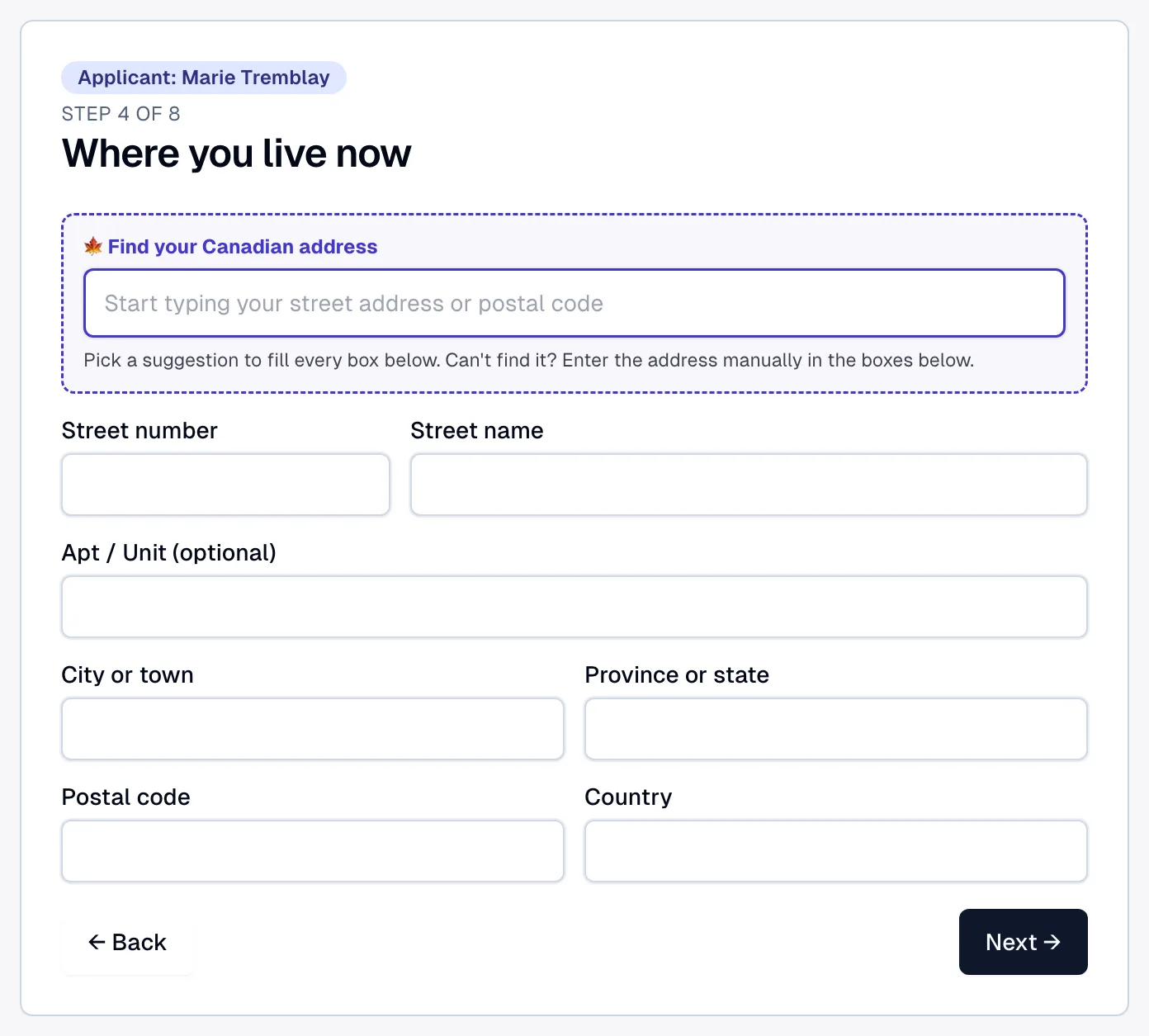
The applicant (or your team) completes a short, validated intake — name, birth, citizenship, address, passport, family — in English or French. It is mandatory before the workspace opens, and every step names whose details it is collecting (“Applicant: Marie Tremblay”), so on a sponsorship case the sponsor never types their own details into the applicant's file.
Mapped into every form
Lexova writes the shared facts into all 19 IRCC forms at once, handling the XFA-based PDFs that ordinary fillers break.
Review & generate
Override anything at the form level, then generate audit-clean PDFs in the language IRCC expects. Change a fact once and it propagates everywhere.
Why it matters
19 forms, one source of truth
Identity, citizenship, contact and family data live on the applicant — not copy-pasted into each PDF.
XFA-aware & audit-clean
Every form is checked field-by-field against the official template, in both languages.
English or French
Generate the exact bilingual form IRCC wants — no manual re-entry to switch languages.
Fewer mismatches
Shared facts stay consistent across the whole package, cutting the errors officers flag.
Canada Post address lookup
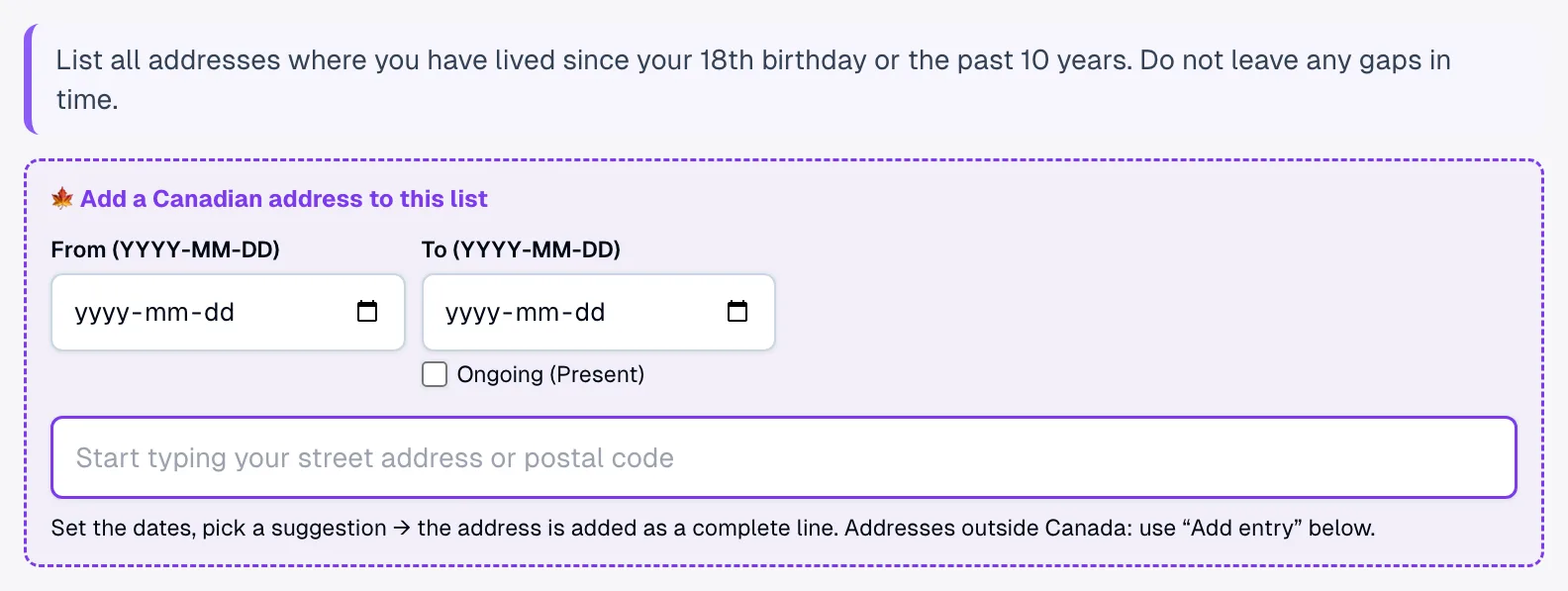
Canadian addresses are the boxes clients get wrong most often — a street name in the number box, a postal code in the P.O. box field. Every Canadian address block of every IRCC form, every address-history table and the About You intake carry a Canada Post search: one pick fills unit, number, street, city, province and postal code in their own boxes.
Filling an IRCC online portal instead of a PDF?
The Express Entry application and the PR portal for representatives are not PDFs: they are filled online. The Lexova for IRCC browser extension fills them from the same answers, in your own signed-in session — every form of every family member, each replaced answer with an Undo, and never a Submit, Sign or Pay pressed on its own. Premium plan and up.
Read the portal-fill pageAlready have a filled form? Import it
When a client comes back with a form that was filled before — a fillable PDF, a scan or a photo — your team can import its answers into the open form instead of retyping them: matched by meaning, held to the form's own rules, only empty questions filled, and reviewed by the representative. Premium plan and up.
Read the import pageFrequently asked questions
Which IRCC forms does Lexova support?+
All 19 forms in the library — temporary residence (IMM 5257, IMM 1294, IMM 1295, IMM 5708/5709/5710), permanent residence (IMM 0008, IMM 5406, IMM 5645, IMM 5669, IMM 5707), sponsorship (IMM 1344, IMM 1283, IMM 5481, IMM 5532), travel history (IMM 5562) and citizenship (CIT 0002, CIT 0003).
Does autofill replace the professional's review?+
No. Lexova does the data entry; the RCIC or lawyer reviews, overrides where needed, and remains responsible for the filing and advice.
Explore more
Run your firm on Lexova
Start today, or talk to us about Enterprise.